A modern PAIRS, the same workflow you know, ready for the new URAR.
A modern PAIRS is on the way
We have rebuilt PAIRS™ from the ground up as PAIRS 2.0. It keeps the workflow you already know, step for step, with a cleaner, faster look that works on any screen.
The same steps and wording, so there is nothing to relearn.
A refreshed design, with light and dark themes.
Your account comes with you when you move over.
Ready for UAD 3.6
The GSEs' redesigned URAR changes how the grid is labelled. PAIRS 2.0 is adding UAD 3.6 support, including multi-family (2–4 units), and uses the GSE labels word for word, so what you copy onto the form matches.
GSE grid labels such as “Finished Area Above Grade” and “Vehicle Storage”, exactly as the URAR prints them.
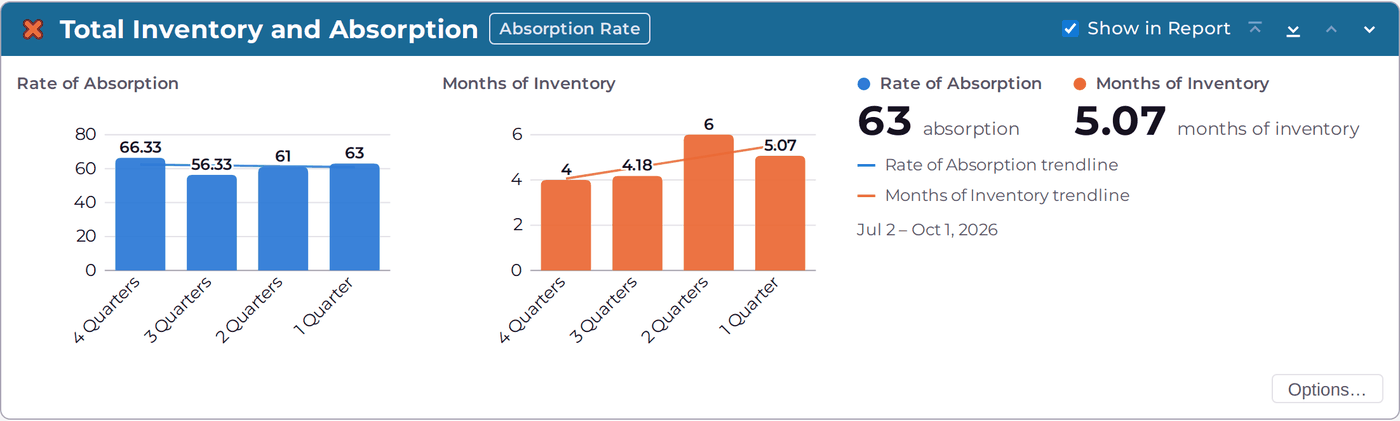
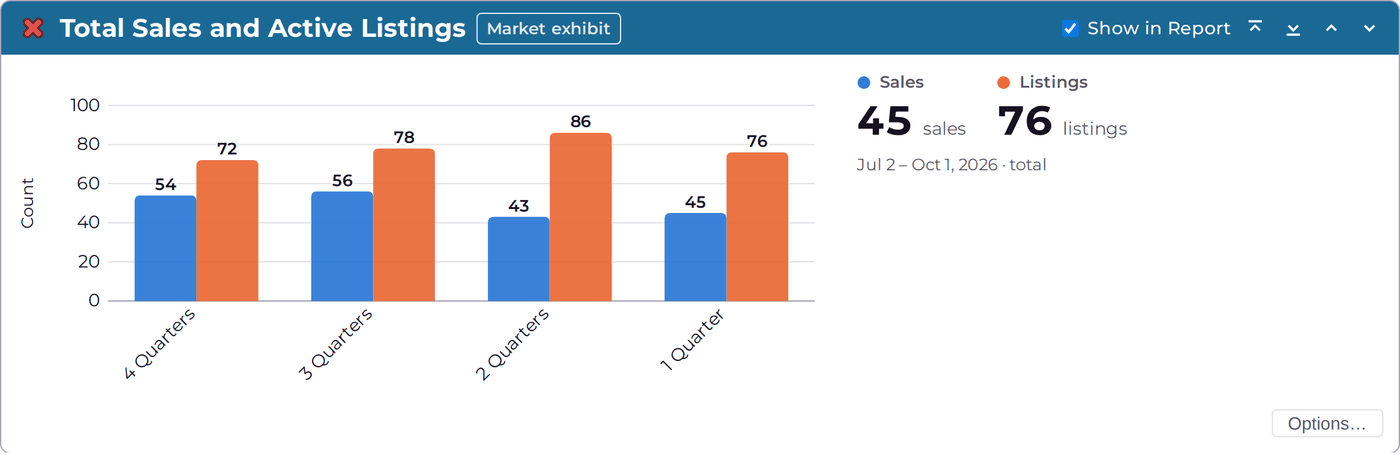
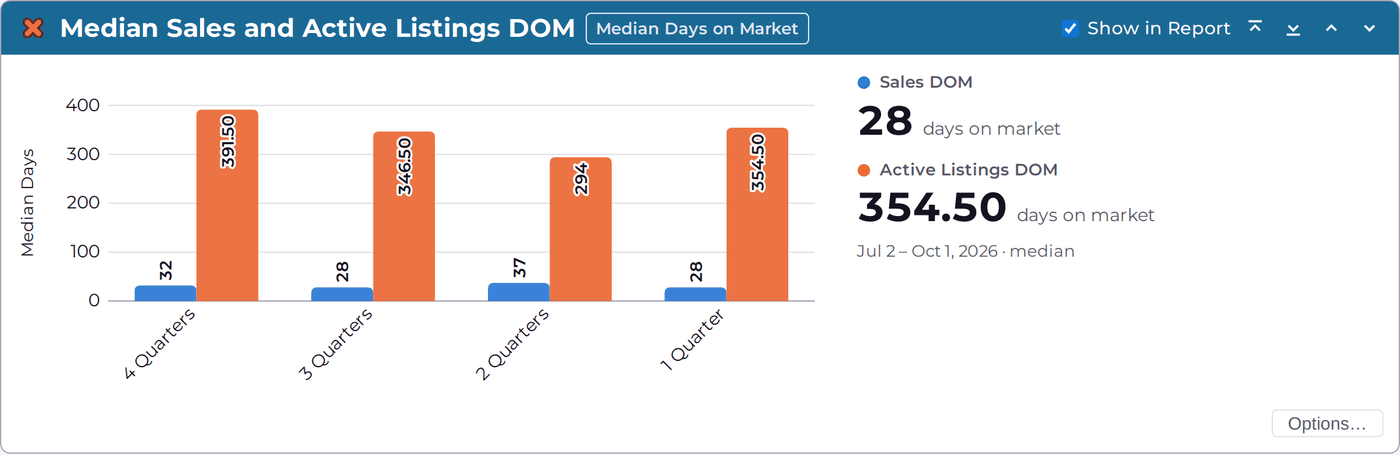
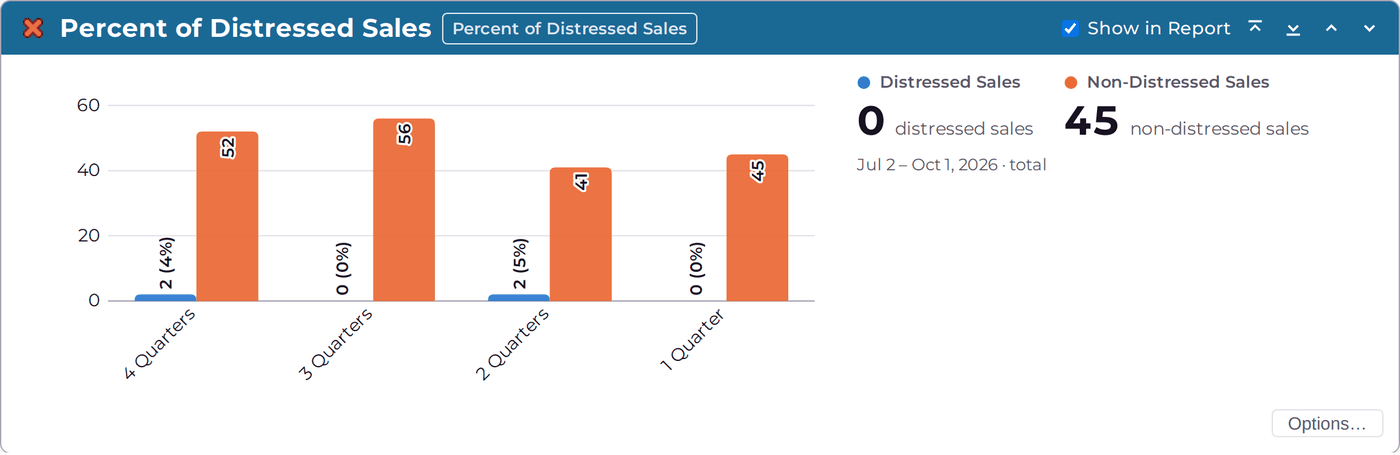
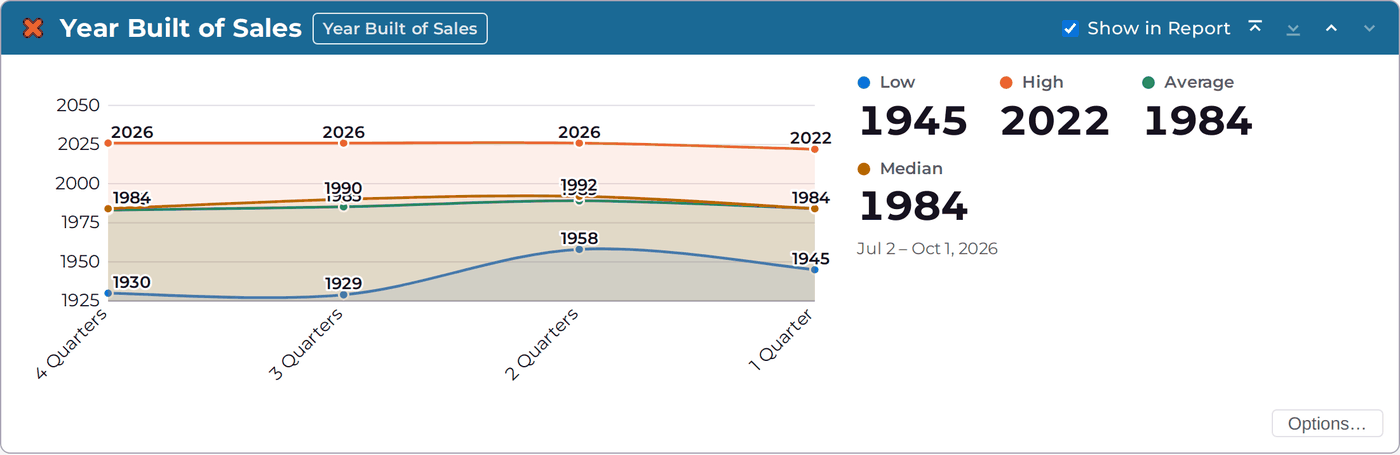
Market graphs grouped the way the URAR asks for them, with two new charts: Percent of Distressed Sales and Year Built of Sales.
You choose the format for each new analysis: UAD 3.6, or the format you use today.
See the new charts and graphs
These screens come from a demo analysis built on made-up sales, so you can see PAIRS 2.0 at work.
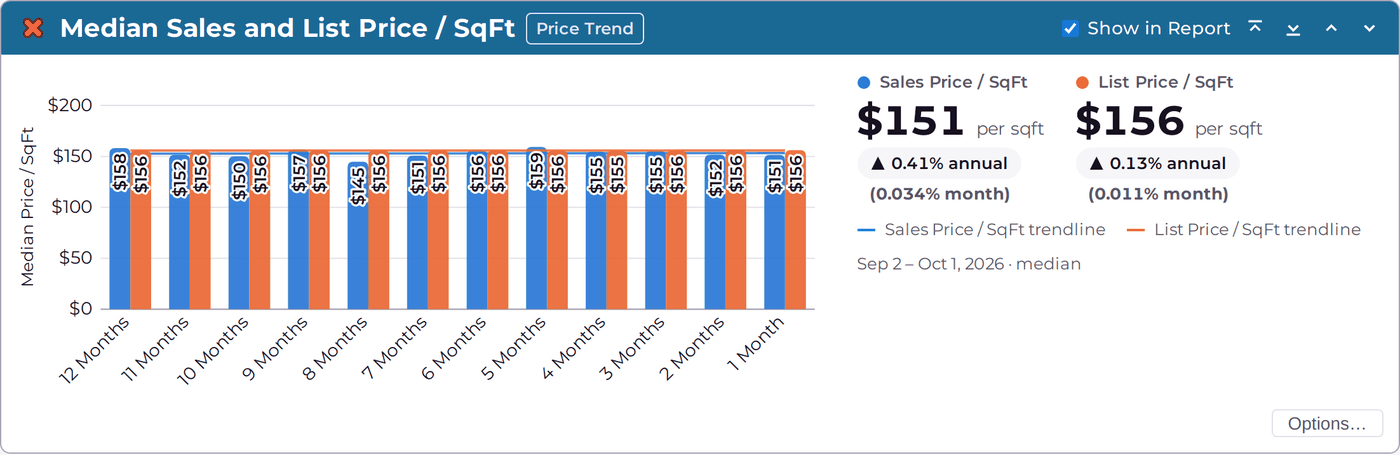
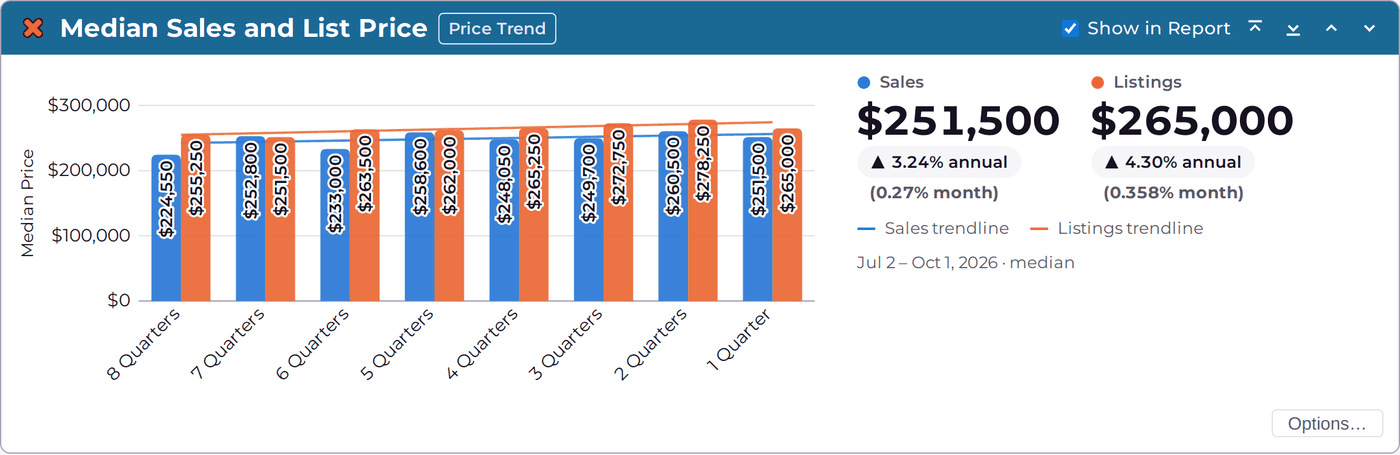
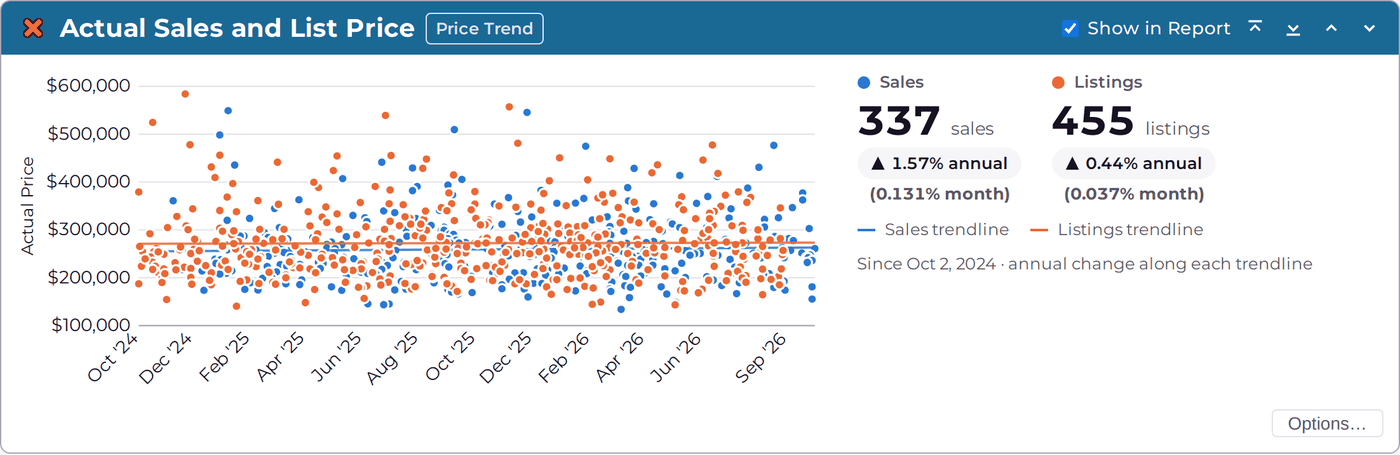
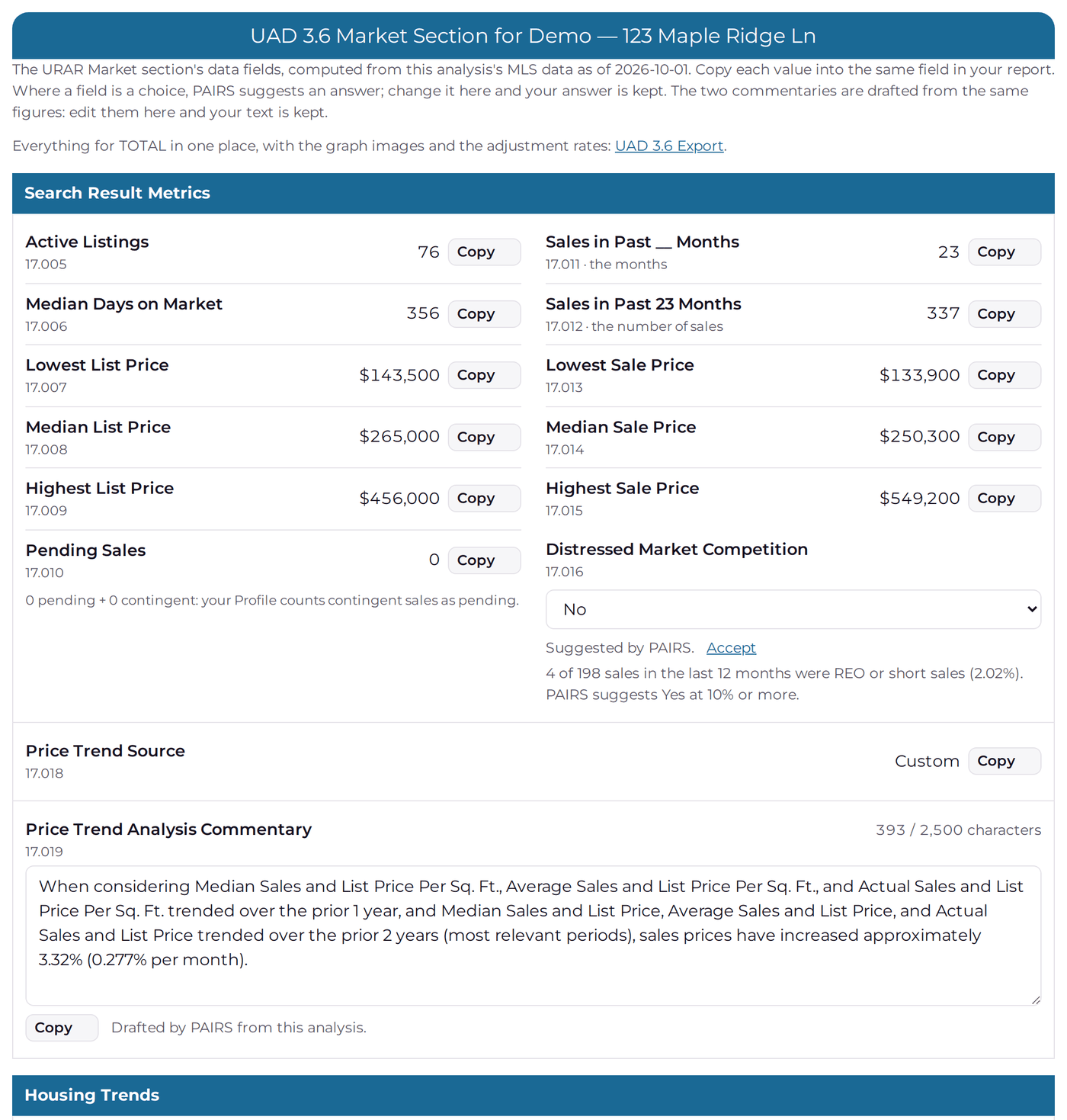
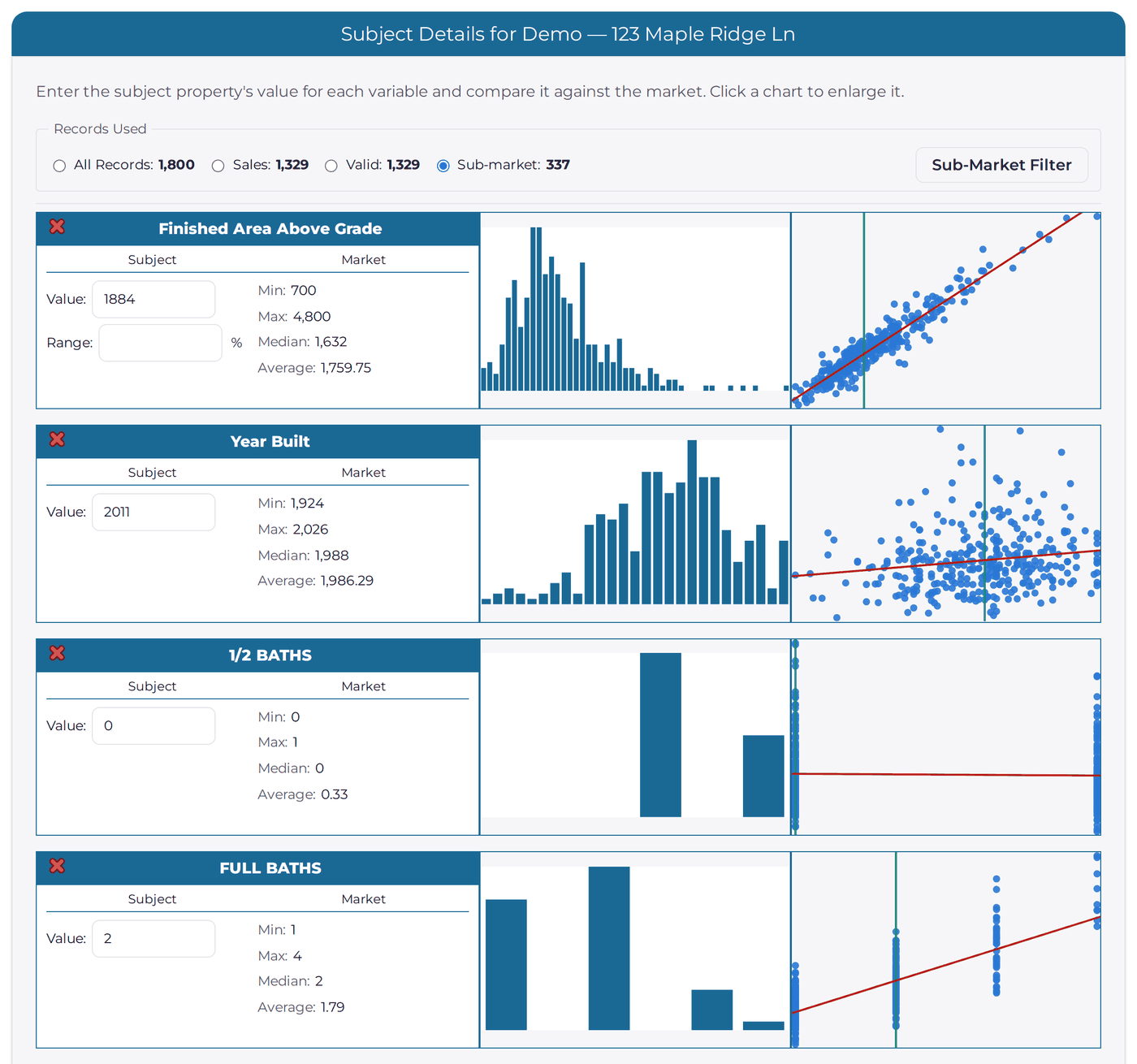
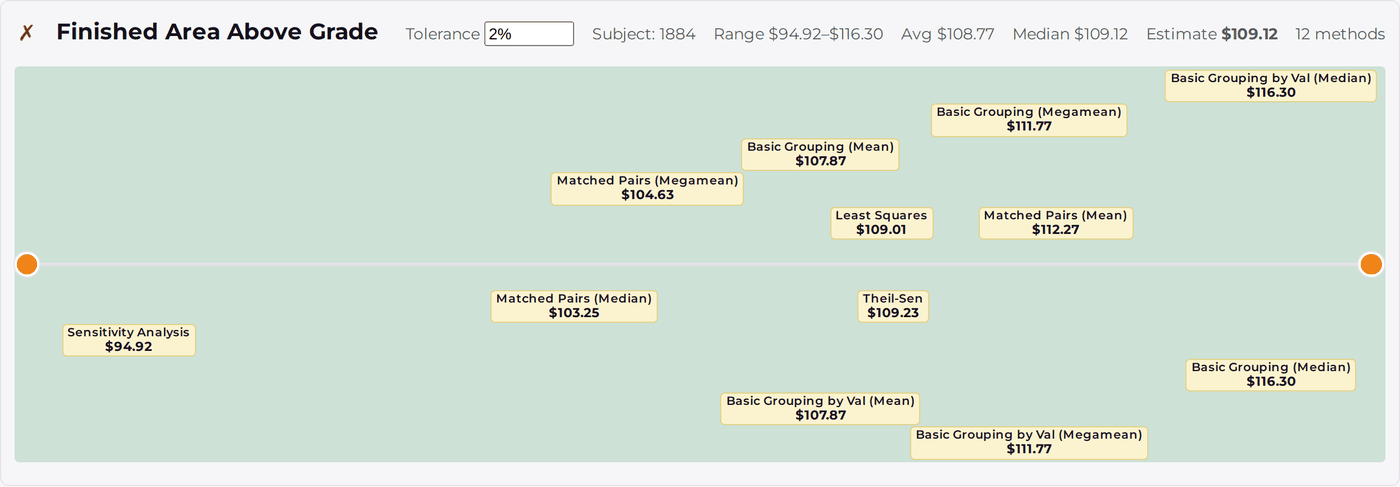
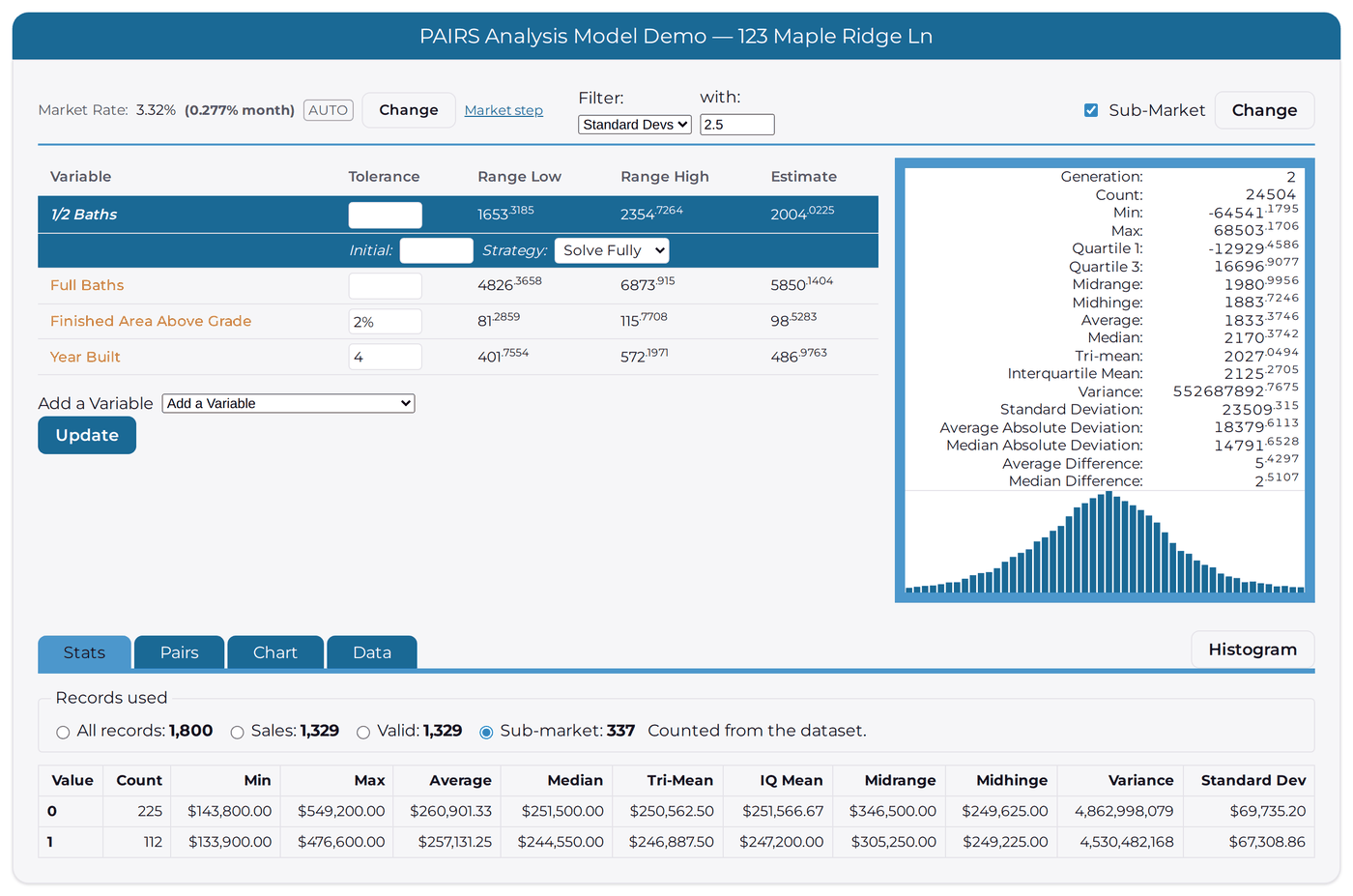
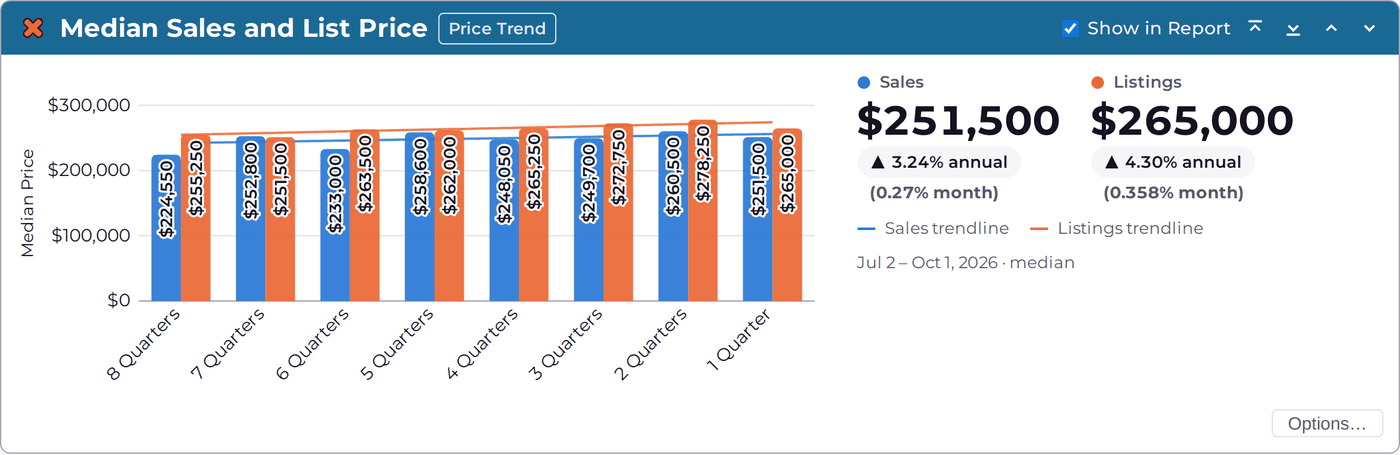
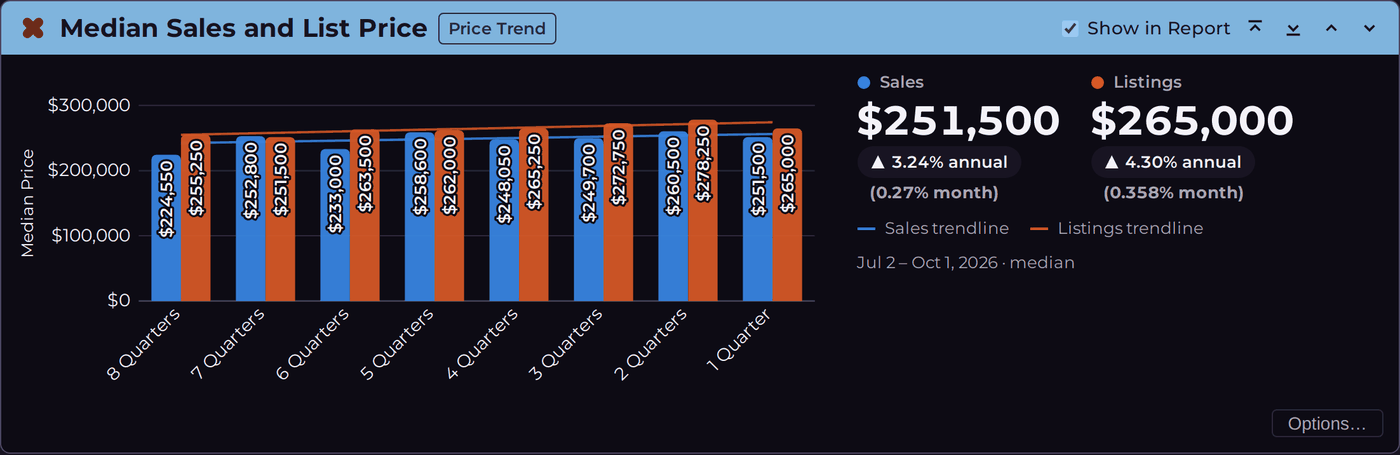
Total Inventory and Absorption Rate of absorption and months of inventory by quarter, with trendlines, as the URAR market section asks for them.Total Sales and Listings Closed sales against active listings, quarter by quarter.Median Days on Market How long homes take to sell, for sales and for listings.Percent of Distressed Sales (new) How many sales were distressed, and their share of all sales, by period.Year Built of Sales (new) The low, high, average and median year built of what sold.Median Price per Square Foot Twelve months of sale and list price per square foot.Median Sales and List Price Eight quarters of median prices, with the annual and monthly rate of change.Actual Sales and List Price Every sale and listing on one chart, with a trendline for each.The URAR Market Section, Filled In Suggested answers for each market field, with a Copy button beside each one.Your Subject Against the Market A histogram and a scatter plot for every variable, with the subject marked.Basic Statistics at a Glance Every method's estimate for a variable side by side, so the credible range stands out.The PAIRS Model Variables, estimates and the statistics behind each one, with a histogram of the pairs.
Side by side
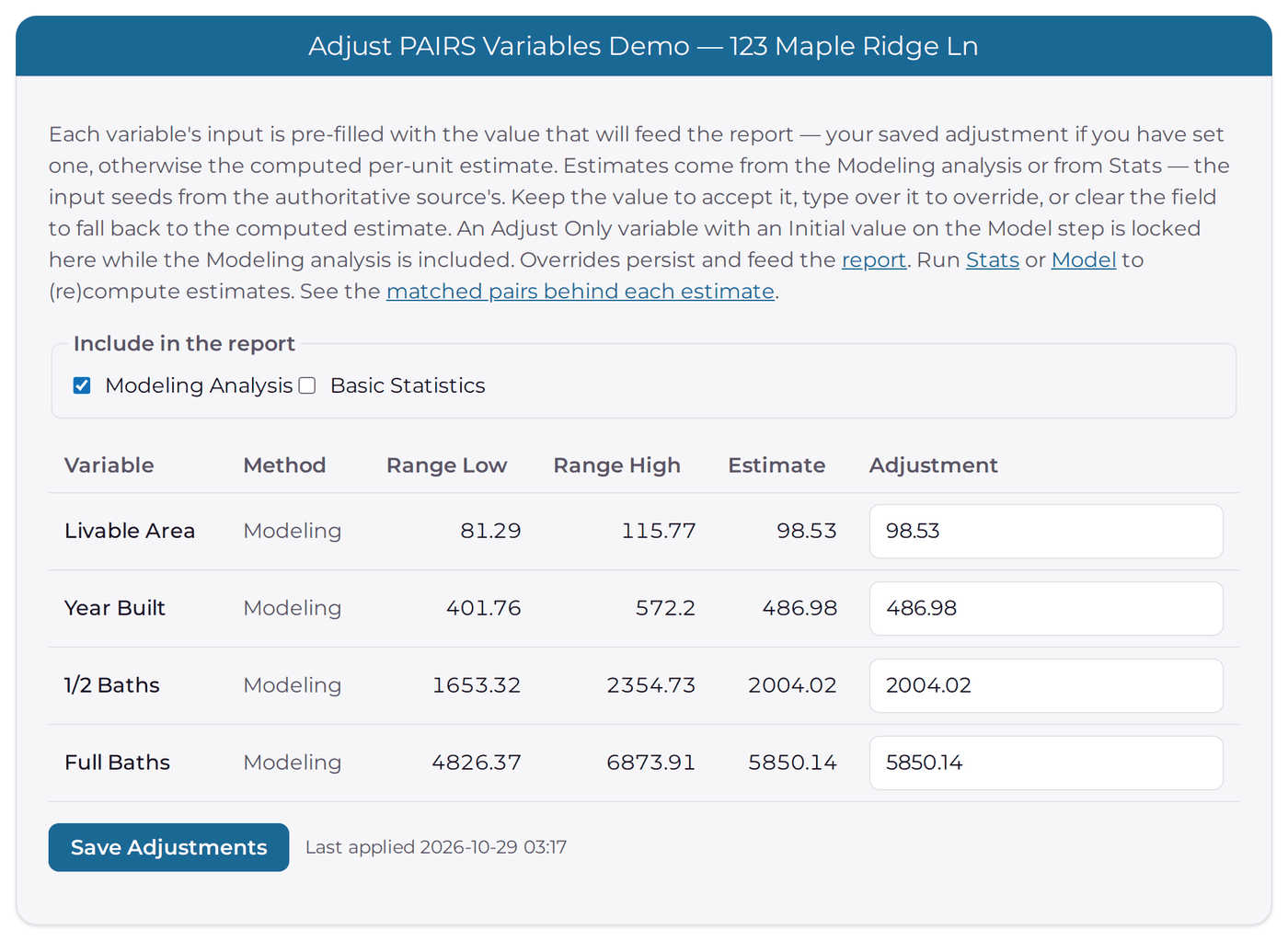
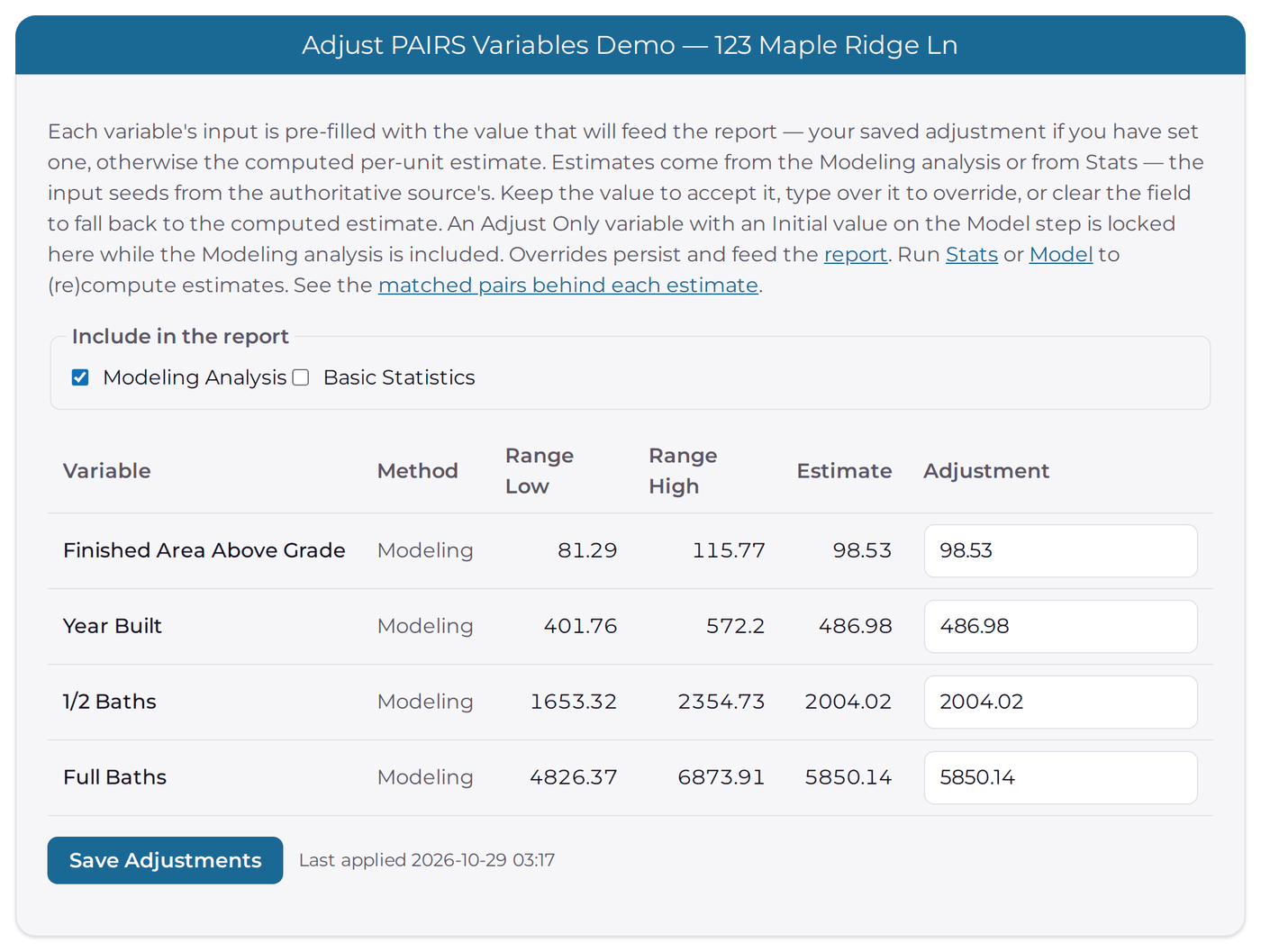
The same adjustments, two formats
One analysis, one set of numbers. In UAD 3.6 the grid reads "Finished Area Above Grade", the GSE label, so it matches the form.
Your format todayUAD 3.6
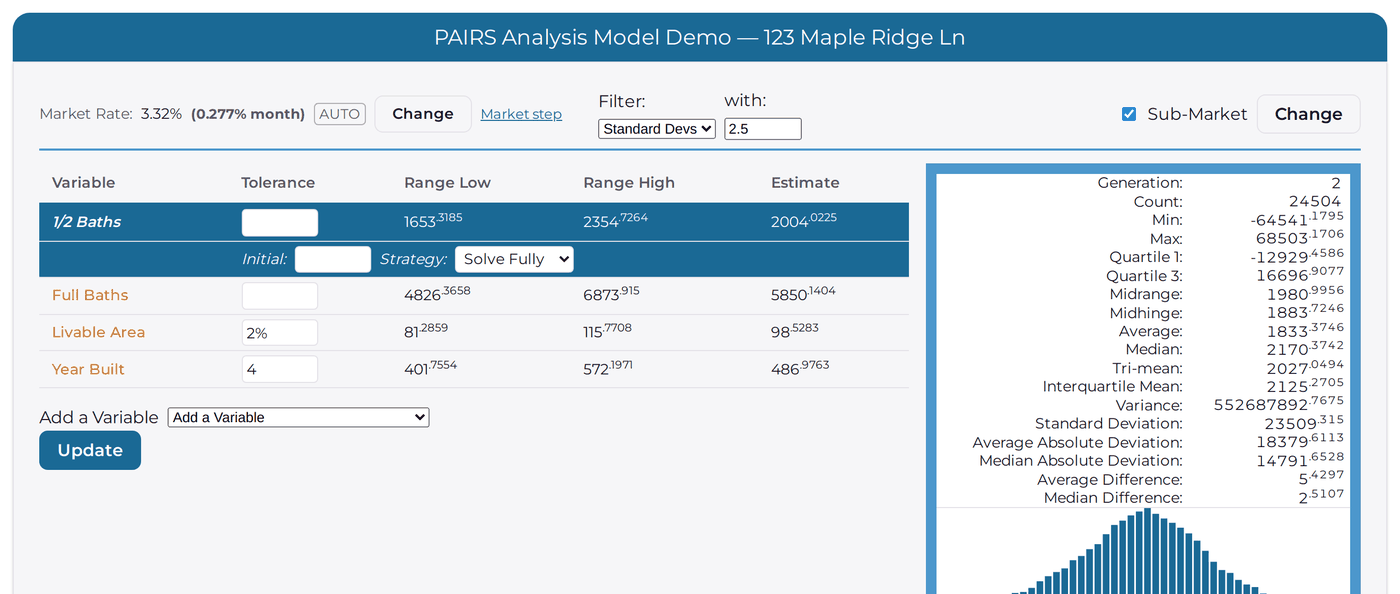
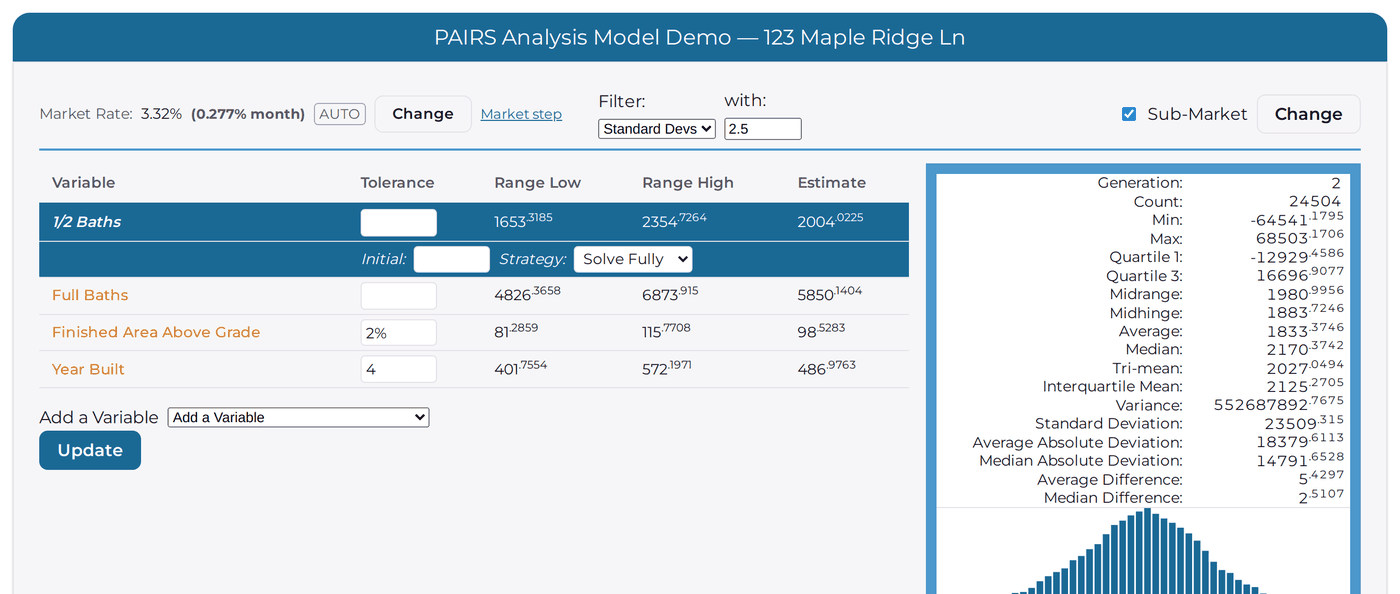
The model, two formats
The PAIRS model works the same way in both formats. Only the labels change.
Your format todayUAD 3.6
Light or dark, your choice
Every screen comes in a light and a dark theme.
Light themeDark theme
Your past analyses come with you
When your account moves to PAIRS 2.0, your past PAIRS analyses come with it as an archive. You can open them and read them in PAIRS 2.0, just as you left them.
Archived analyses are kept for reference: they cannot be re-run in PAIRS 2.0. To work a new assignment, start a new analysis with your current data.
Moving over: what to expect
Accounts move one at a time. We will let you know when yours is ready.
Set a new password the first time you sign in to PAIRS 2.0. For your security, passwords do not transfer, so you will be asked to choose a new one.
PAIRS stays available while you move. You can keep using this site until your account is ready.